
Written By: UP Job Radar Education Desk | Expert Reviewed By: Former IIT Professor & JEE Advanced Coordinator (2019-2024)
Verified Source: JEE Advanced Official Portal (jeeadv.ac.in) | Last Verified on Official Notice: 21 May 2026
📅 Published: 21 May 2026 | 🔄 Last Updated: 21 May 2026 | ✅ Fact-Checked
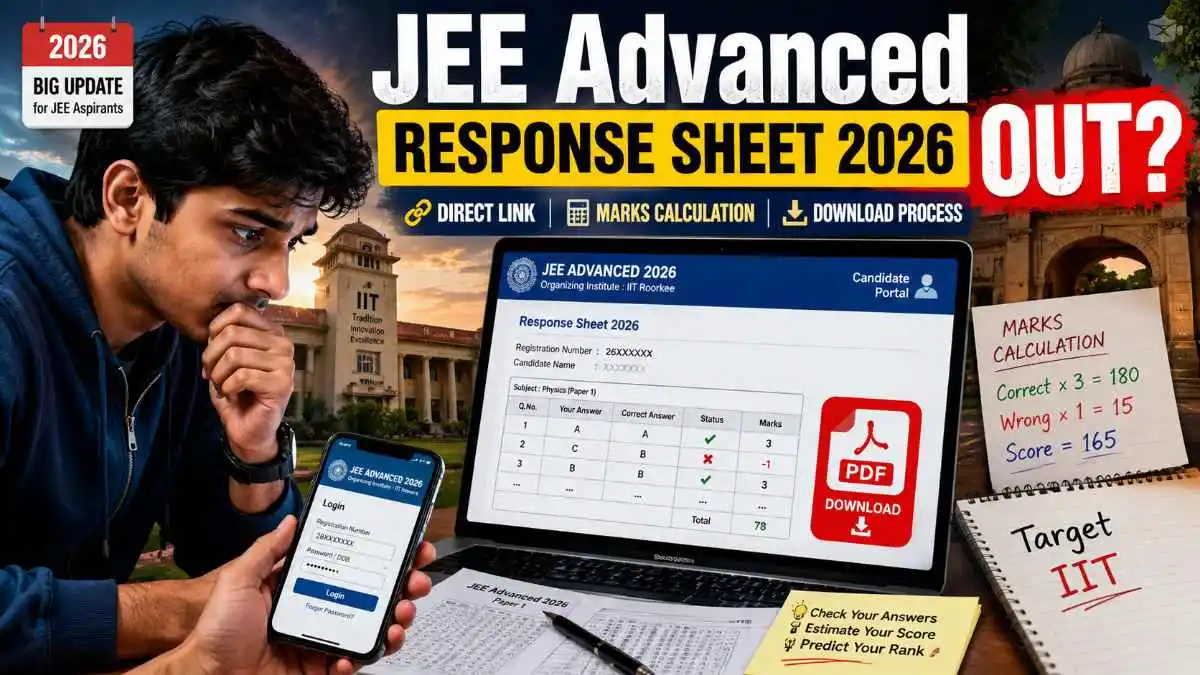
JEE Advanced Response Sheet 2026 Kaise Nikale? Step By Step Process, Direct Link, Marks Calculation Aur Important Updates
🔴 LIVE STATUS (Last Verified: 21 May 2026 – 10:00 AM): JEE Advanced 2026 Response Sheet abhi official website par release nahi hui hai.
📅 Expected Release Date: Exam ke 5-7 din baad (Expected: June 2026 ke first/second week)
✅ This page is updated every 6 hours. Bookmark karein aur latest update sabse pehle paayein.
📢 How to Download JEE Advanced Response Sheet 2026 (3-Step Summary):
1️⃣ Visit jeeadv.ac.in → 2️⃣ Click “Candidate Portal” → 3️⃣ Enter Registration Number & Download PDF
Detailed steps with screenshots provided below 👇
JEE Advanced Response Sheet 2026 jald hi release hone wali hai. JEE Advanced exam dene ke baad sabse zyada students ek hi cheez search karte hain — “JEE Advanced response sheet kaise nikale?”
Agar aap bhi apni response sheet download karna chahte hain aur check karna chahte hain ki exam mein kitne questions sahi hue hain, toh yeh article aapke liye hai. Is article mein hum simple Hinglish language mein batayenge poora process.
📥 Direct Download Link (Official Portal)
🔗 https://jeemain.nta.nic.in/
(Link will be activated as soon as response sheet is released)
📌 JEE Advanced Response Sheet Kya Hoti Hai? (Simple Bhasha Mein)
Response sheet ka matlab hota hai — aapke answers ka official record. JEE Advanced exam center par aapne jo bhi option tick kiya tha, chahe wo sahi ho ya galat, sab kuch response sheet mein exactly waise hi dikhega.
Response sheet se aap kya kar sakte ho?
- ✅ Apne answers verify kar sakte ho
- ✅ Expected marks calculate kar sakte ho
- ✅ Answer key se comparison kar sakte ho
- ✅ Result se pehle score estimate kar sakte ho
- ✅ Mistakes analyze kar sakte ho
- ✅ College prediction laga sakte ho
Yeh ek bahut important document hai. IITs yeh response sheet is liye release karte hai taki students ko transparency mile. Aap dekh sakte ho ki exam mein aapne kya kiya, aur agar koi mistake ho toh objection bhi raise kar sakte ho (answer key ke through).
📅 JEE Advanced Response Sheet 2026 Kab Aayegi? (Expected Timeline)
Har saal ka pattern dekhein toh JEE Advanced exam khatam hone ke 5 se 7 din ke andar response sheet official website jeeadv.ac.in par aa jaati hai.
JEE Advanced 2026 ke liye expected schedule:
| Event | Expected Date |
|---|---|
| JEE Advanced 2026 Exam | May/June 2026 (Last week of May) |
| Response Sheet Release | Exam ke 5-7 din baad (June first/second week) |
| Provisional Answer Key | Response sheet ke saath ya next day |
| Objection Window | 2-3 days after answer key |
| Final Answer Key & Result | Within 2-3 weeks of exam |
Pro Tip: Response sheet release hone par website par bahut traffic hota hai. Agar ek baar mein na khule toh 15-20 minute baad try karein. Late night ya early morning sabse fast kaam karta hai.
📥 Step-by-Step Guide: JEE Advanced Response Sheet Kaise Download Karein?
Chaliye ab practical part. Main bilkul stepwise bata raha hu. Aaram se follow karo.
- Official website kholo — jeeadv.ac.in (yahi real hai, baki sab fake ho sakta hai)
- Candidate Portal par click karo — Homepage par “Candidate Portal” ya “Login” ka option dikhega
- “Response Sheet / Answer Key” option select karo — Exact wording thoda change ho sakta hai, but aisa hi kuch hoga
- Login details enter karo — Registration Number + Date of Birth (DD/MM/YYYY) + Password / Mobile Number
- Submit button dabao — Ab tumhara dashboard open hoga
- Response Sheet link par click karo — PDF open ho jayegi
- Download karo aur save karo — Future reference ke liye printout bhi nikal lo
💡 Pro Tip: Response sheet release ke time website slow ho sakti hai. Isliye 2-3 alag alag browsers (Chrome, Edge, Firefox) try karo. Mobile pe “Desktop Site” mode bhi kaam aata hai.
💰 Response Sheet Se Marks Kaise Calculate Karein? (Full Formula)
Response sheet download karne ke baad sabse important kaam hota hai — apna expected score nikalna. Iske liye aapko Official Answer Key bhi chahiye hogi.
Step 1: Answer Key Download Karo
Response sheet ke saath ya next day IITs provisional answer key release karte hain. Woh bhi usi website par mil jayegi.
Step 2: JEE Advanced Marking Scheme Samjho
| Answer Type | Marks |
|---|---|
| ✅ Correct Answer | +3 marks per question |
| ❌ Incorrect Answer | -1 mark per question |
| ⚫ Unattempted | 0 marks |
Step 3: Formula Lagao
Formula: (Total Correct Answers × 3) — (Total Wrong Answers × 1) = Expected Score
Example:
Maan lo aapne 60 questions sahi kiye aur 15 galat. Baaki unattempted.
Score = (60 × 3) — (15 × 1) = 180 — 15 = 165 marks
⚠️ Important Note: Yeh marks provisional answer key ke basis par hai. Final answer key mein 1-2 questions ke answers change ho sakte hain. Isliye final result ka wait karein. Lekin approximate idea aa jayega.
📊 Response Sheet Aur Answer Key Mein Difference (Confusion Clear)
Bahut students dono ko same samajhte hain, lekin dono alag cheezein hain. Simple table se samjhte hain:
| Response Sheet | Answer Key |
|---|---|
| 📄 Student ke marked answers show karti hai | 🗝️ Correct answers set hota hai expert panel dwara |
| 🔒 Har student ki alag hoti hai (login required) | 🌍 Ek hi PDF sabke liye common hoti hai |
| 📥 Download karne ke liye Register Number + Password chahiye | 🔓 Bina login ke bhi mil jaati hai website par |
Matlab: Response sheet = aapne kya answer kiya. Answer key = sahi answer kya hai. Dono ko combine karke aap apna score nikaal sakte ho.
📱 Mobile Se JEE Advanced Response Sheet Kaise Download Karein?
Aajkal bahut saare students mobile se hi sab karte hain. Mobile process bhi same hai, bas screen chhoti hai.
- Apne mobile browser (Chrome / Safari) mein jeeadv.ac.in kholo
- “Candidate Portal” par jaake registration number, DOB aur password daalo
- Dashboard mein response sheet ke link pe click karo
- Jab PDF khule, toh teen dot menu (⋮) mein “Download” option select karo
- Done! Apne phone mein save ho jayegi
Extra Tip: Agar mobile mein PDF bigdi hui dikhe toh “Desktop Site” mode on karke try karo. Chrome mein teen dot menu mein “Desktop site” ka option hota hai.
⚠️ Response Sheet Download Nahi Ho Rahi? Yeh Reasons Ho Sakte Hain
Kabhi kabhi website issues ki wajah se response sheet nahi aati. Ghabrana mat. Yeh common problems aur unke solutions hain:
- 🚦 Heavy traffic: Jis din response sheet release hoti hai, lakhon students ek saath login karte hain. Solution: 1-2 ghante baad try karo ya late night (2 AM-5 AM) sabse fast kaam karta hai.
- 🔑 Wrong login credentials: Registration number ya DOB mein koi mistake ho sakti hai. Solution: Apna confirmation mail check karo. DOB ka format DD/MM/YYYY hai ya DD-MM-YYYY? Website par likha hota hai.
- 🌐 Browser issue: Purana browser ya cache problem. Solution: Chrome ya Edge use karo. Cache clear karo ya incognito mode try karo.
- 📡 Slow internet: Solution: Strong WiFi ya mobile data use karo.
- 🖥️ Mobile issue: Solution: Chrome browser mein “Desktop site” mode on karke dekho.
✅ Response Sheet Check Karne Ke Fayde (Sirf Dekhna Mat, Analysis Karo)
Bahut log kehte hain “response sheet se kya hi fayda, result toh baad mein aayega.” Par bhai, fayde bahut hain:
- 🎯 Expected rank idea: marks nikal ke previous year cutoffs se approximate rank infer kar sakte ho.
- 🎯 College prediction: Jo marks bante hain, uske hisaab se IIT, NIT ya IISc ki possibility dekh sakte ho.
- 🎯 Mistakes analysis: Pata chalega konse chapter mein galti hui, agle exams ke liye helpful rahega.
- 🎯 Result anxiety kam: Pehle se pata ho toh result ke din shock nahi lagta, mentally prepared rehte ho.
- 🎯 Objection raise kar sakte ho: Agar lagta hai ki answer key galat hai toh official objection window mein raise kar sakte ho.
📌 JEE Advanced 2026 Expected Cutoff (Response Sheet Ke Baad Kya Expect Karein?)
Response sheet dekhne ke baad natural sawaal yehi hota hai — “kitne marks pe IIT mil jayegi?”
Expected cutoff completely depends on paper difficulty 2026 ka. Agar paper tough raha toh cutoff low jaata hai, agar easy raha toh high.
Previous years ke approximate trends (General Category):
- 90-110 marks: Lower rank, lekin IIT milne ke chances kam hai (maybe lower IITs)
- 110-150 marks: Mid range, decent IIT mil sakti hai
- 150-200+ marks: Top IITs (Bombay, Delhi, Madras, Kanpur, Kharagpur, Roorkee) ke chances strong
Note: Yeh sirf rough estimate hai. Accurate cutoff official result ke baad hi pata chalegi.
📢 Important Updates & Direct Link
🔗 Official Direct Portal Link
👉 jeeadv.ac.in 👈
Kisi aur site par apna roll number mat daalna. Sirf official website use karo.
🙋 Frequently Asked Questions (Jitne bhi doubt aate hain students ke)
Q1. JEE Advanced response sheet kya hoti hai?
A: Ek official document jisme aapke exam ke answers show hote hain. Bilkul waise jaise aapne tick kiya tha.
Q2. Response sheet kab release hoti hai?
A: Usually exam ke 5-7 din baad official website jeeadv.ac.in par.
Q3. Response sheet kaise download karein?
A: Official website par login karke (Registration Number + DOB + Password) PDF download karein.
Q4. Kya mobile se response sheet download kar sakte hain?
A: Haan, bilkul. Steps same hain. Mobile browser se easily download ho jayegi.
Q5. Response sheet aur answer key same hoti hai kya?
A: Nahi bilkul alag. Response sheet = aapke answers. Answer key = correct answers.
Q6. JEE Advanced marks kaise calculate karein response sheet se?
A: Answer key se compare karo. Correct × 3 — Wrong × 1 = Expected Score.
Q7. Agar login credentials bhool gaya to kya karein?
A: Registration number aapke JEE Advanced confirmation mail mein milega. Password recovery option website par hota hai.
Q8. Kya response sheet par objection raise kar sakte hain?
A: Response sheet par nahi, lekin provisional answer key par objection raise kar sakte ho agar lagta hai koi answer galat hai.
Q9. JEE Advanced result kab aayega 2026 mein?
A: Expected within 2-3 weeks after the exam. Final answer key ke baad result aata hai.
Q10. Kya response sheet ka printout exam centre par lena zaroori hai?
A: Nahi, response sheet result ke baad analysis ke liye hoti hai. Exam centre par sirf admit card chahiye hota hai.
🏁 Final Words for JEE Advanced Aspirants
JEE Advanced Response Sheet 2026 exam ke 5-7 din baad release hone ki ummeed hai. JEE Advanced 2026 exams May/June mein honge.
Kya karna hai aapko abhi?
- ✅ Is page ko BOOKMARK kar do
- ✅ Daily 1 baar official website jeeadv.ac.in check karo
- ✅ Apne login details (Registration Number, DOB, Password) ek safe jagah likh ke rakho
- ✅ Response sheet aate hi download karo aur marks calculate karo
- ✅ Agar koi doubt hai toh comment karo, main jawab dunga
Best of luck to all JEE Advanced aspirants! Response sheet se apna expected score nikaalna mat bhoolna. Aur haan, response sheet aane ke baad demotivate mat hona agar marks kam aa rahe hain. Kya pata final answer key mein marks badh jayein! 🚀
Disclaimer: This information is based on JEE Advanced’s official website (jeeadv.ac.in) and previous years’ trends. Candidates are advised to verify all details from the official website before making any decisions.
Last Verified on Official JEE Advanced Notice: 21 May 2026
Page Last Updated: 21 May 2026 | 10:00 AM IST
© UP Job Radar Education Desk